The files stay yours
Point the server at local folders or mounted network shares. Kalinka builds its own searchable database without rewriting the source files. Your collection stays on storage you control.

Kalinka plays MP3 and FLAC from storage your Linux server can reach — whether that is a local drive or a NAS elsewhere on your network. Browse the library from Android, Windows, Linux or any browser — without an account, a subscription or a cloud upload.
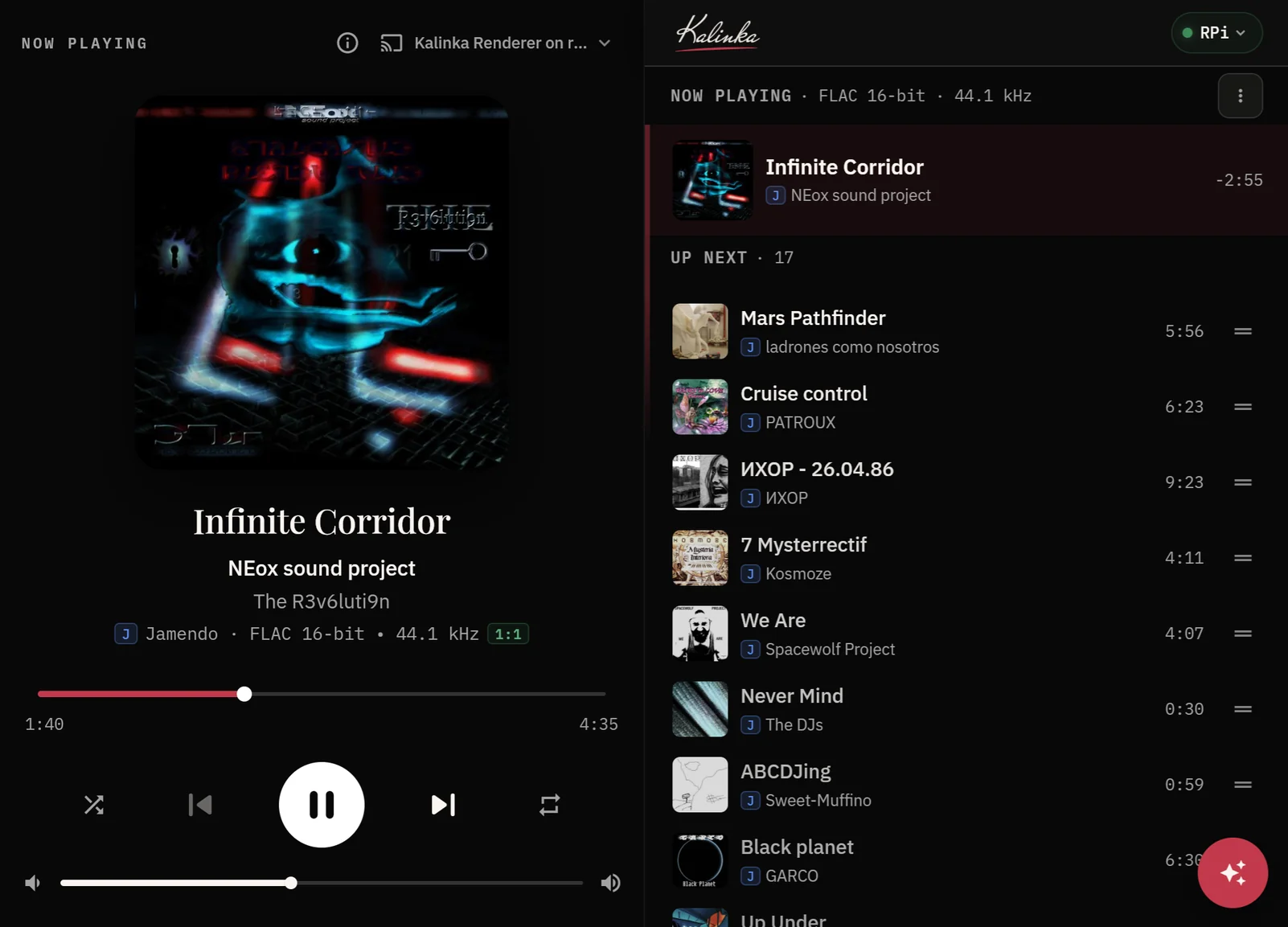
Play MP3 and FLAC through your hi-fi, with gapless playback and bit-perfect output.
Use Kalinka as a UPnP endpoint and play music through it with controllers such as BubbleUPnP.
Describe a mood, genre or moment. Search runs locally over your collection, with optional Jamendo support.
Play from local drives, a mounted NAS or Jamendo. Keep collections of tracks from different sources stored locally.
Browse and control playback from Linux, Windows, Android or any browser on your network.
Install on Debian, Ubuntu or Raspberry Pi OS, or start with a ready-to-flash image.
Your music, wherever you keep it. A small Linux box by the amp. A phone in hand. Kalinka brings them together without asking you to copy the collection into somebody else’s cloud.
It is an independent, free and local-first project for listeners who still keep their own records — and want modern search and remote control without giving up ownership.
Kalinka is deliberately built around the collection you already have. These are the three decisions that shape the rest of the product.
Point the server at local folders or mounted network shares. Kalinka builds its own searchable database without rewriting the source files. Your collection stays on storage you control.
A renderer can run on the server itself, on a Raspberry Pi beside an amplifier, or in a browser. Choose an output from the app and move playback between renderers, even while a track is playing.
Ask for a mood, texture, genre or moment instead of remembering a filename. Mood search runs locally over the indexed collection and can include Jamendo when that optional source is enabled.
Describe a mood, an instrument or an activity. Kalinka finds matching music in your collection, with the search running on your own server.
Play the suggestions straight away or add them to your queue. You don’t need a track title in mind to find something to listen to.
Try smart search with Jamendo now
Here, jazz for a cozy evening
brings up You’ve Changed
,
She
and All The Way
from GrayMic’s Jazz Ballads in the local library.
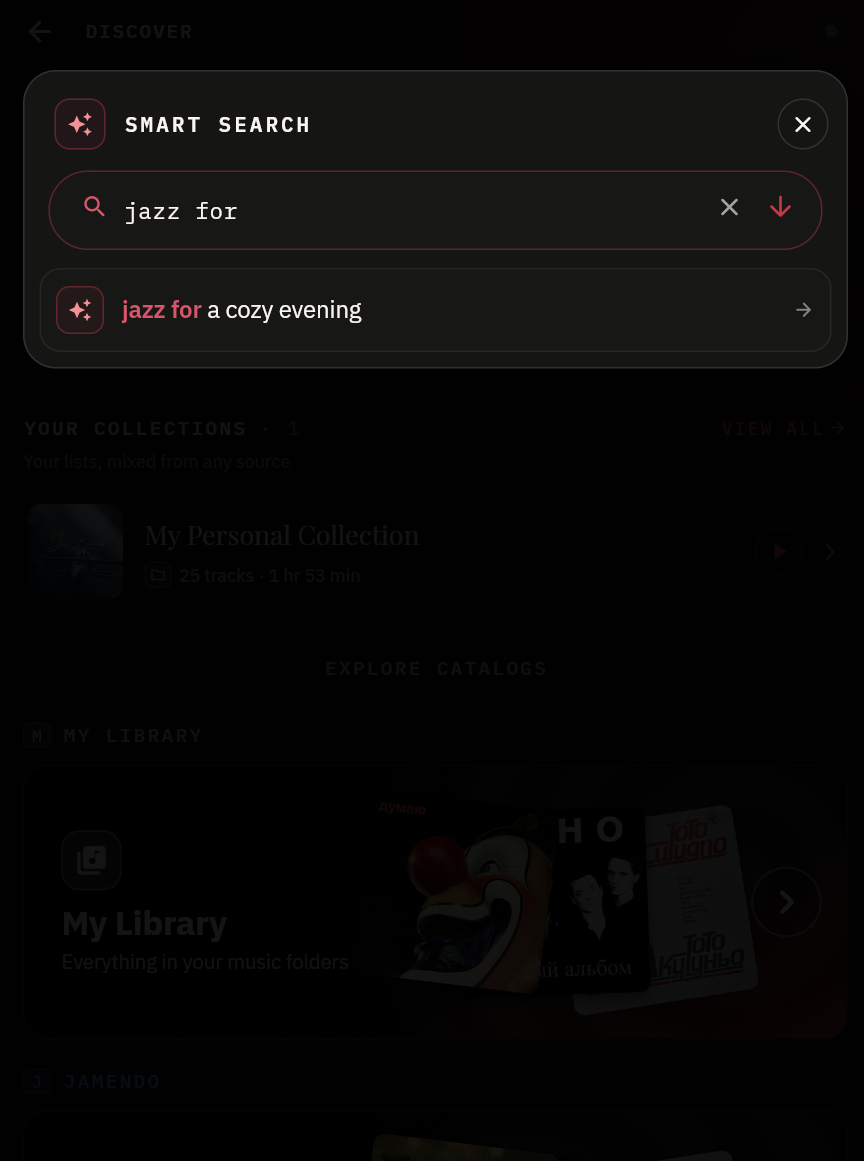
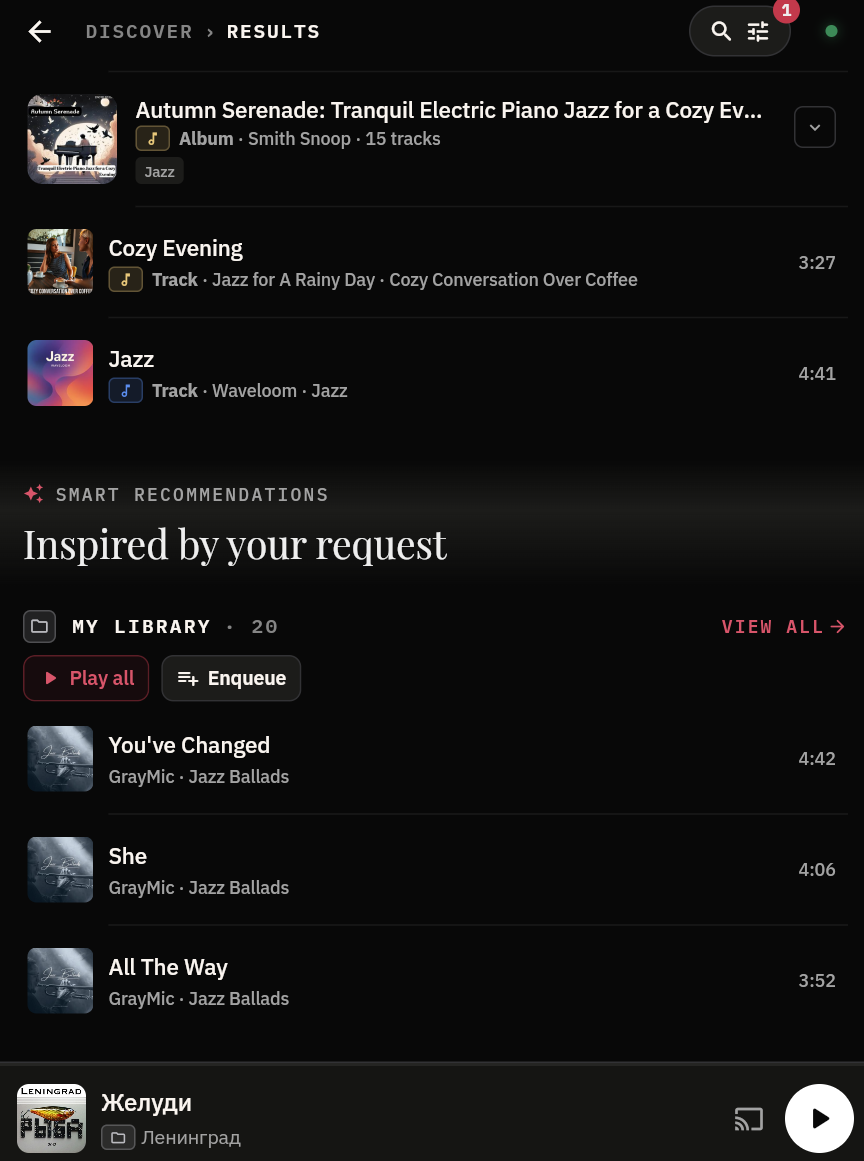
Select a screenshot to enlarge.
A Raspberry Pi can run the Kalinka server and renderer beside your amp. Mount your NAS for your own library and add a streaming source such as Jamendo. Control playback with the Kalinka app or a UPnP media controller such as BubbleUPnP.
Jamendo via a source plugin
Mounted music library
Raspberry Pi running Linux
Connected to your speakers
BubbleUPnP on your phone
A Pi Zero 2 W and mini amp for your bedroom speakers.
Remote control:Android · Windows · Linux · any browser on the network
Kalinka plays the music you already own in bit-perfect, gapless sound — then indexes every track, fixes the messy tags, and lets you find anything just by describing the mood you're in. Self-hosted on Linux, and ready to play in minutes.
The server runs on any Linux machine wired into your hi-fi — a desktop, a mini PC or a low-power SBC such as a Raspberry Pi — and plays the music through a DAC. The app lets you browse, search and control playback from any device — phone, tablet or laptop.
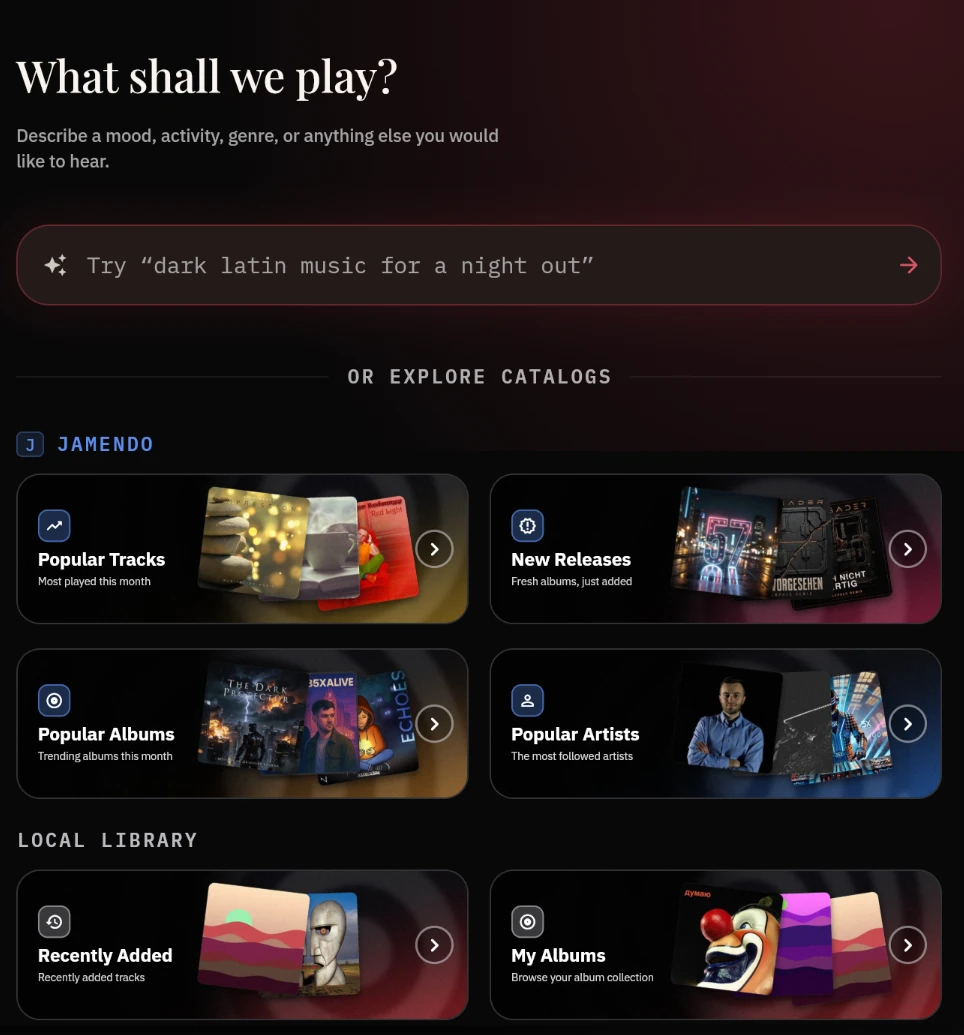
Kalinka understands what your music feels like, not just what it is named. Describe a mood, a genre, or a moment — it searches your own collection and builds the answer. All of it runs locally, and the same search works across Jamendo when you enable it as a source.
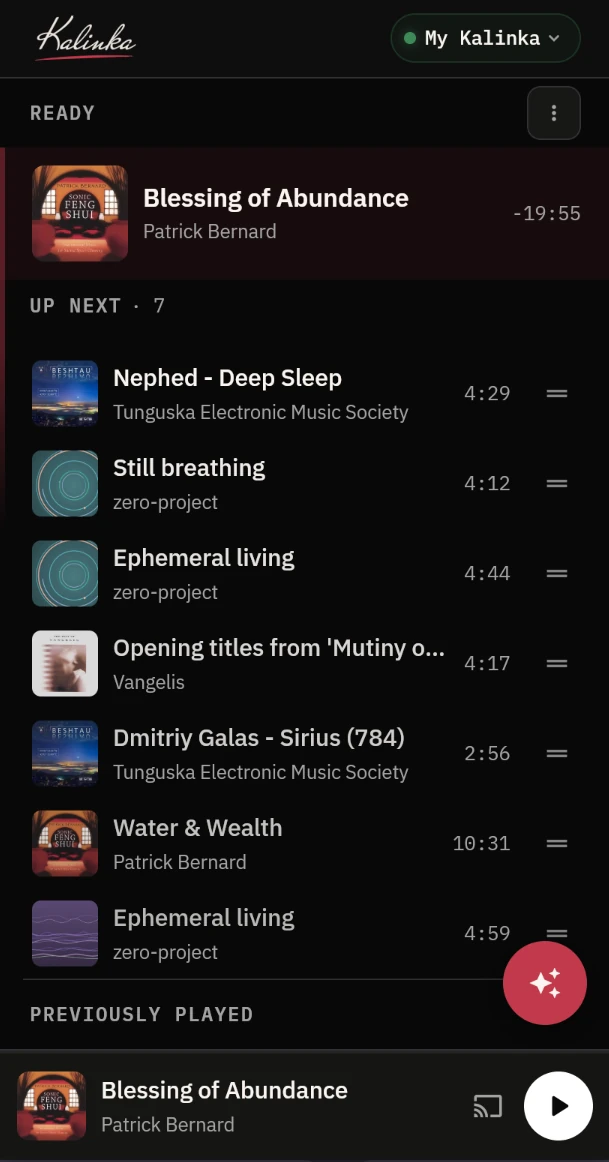
No subscription, no cloud library, no middleman. Kalinka works with files on storage you control — local drives or mounted network shares — and makes sense of them.
Completely free and runs on your own hardware. Your library stays on storage you control — no accounts, no tracking, no monthly fee.
Currently supports MP3 and FLAC, with gapless playback. Bit-perfect output is available for supported formats, but it is most meaningful with FLAC where there is no lossy compression.
The audio is played by a renderer, and a renderer can live on any Linux box on your network — the server itself, a Pi wired to the amp downstairs, or both. Pick the one you want from the app and the music moves to it mid-track. Any browser on the network counts as an output too, with nothing to install.
Find music by describing a mood or a genre. “Something melancholic for tonight” returns the right tracks from your library — no playlists required. Works across Jamendo too.
Point it at local folders or mounted network shares and Kalinka scans every track, building a fast, searchable index of everything you own.
Untitled tracks, blank artists, missing albums — Kalinka spots the gaps and works out what each track actually is. The enriched metadata lives in its own database, so your files are never touched, and the library browses as clean albums, artists and genres.
Alongside your own files, Kalinka can now stream Jamendo — a catalog of independent, Creative Commons–licensed music — with the same AI mood & genre search and smart suggestions working across it. To enable the source, create a free API key on the Jamendo developer portal and add it to your server's configuration.
Kalinka is an independent project and is not affiliated with, endorsed by, or sponsored by Jamendo S.A. Playback uses the official Jamendo API and is subject to the Jamendo API Terms of Use; tracks are streamed under the licenses chosen by their rights holders. “Jamendo” is a trademark of its respective owner.
Most music libraries are a graveyard of track01.mp3 and blank artist fields. Kalinka indexes the lot, works out what each track actually is, and puts it in order.
Install the server on the machine connected to your hi-fi. Then use the app — or just a browser — to add your music locations, choose a renderer and start listening.
One command on an existing Debian, Ubuntu or Raspberry Pi OS machine. It installs the server, the audio renderer and the browser player, and starts them on boot — run it again later to update. Or skip the install and flash a ready-made Debian 13 image: power the machine on and it plays.
curl -fsSL https://kalinkaplayer.com/install.sh | sudo bash
Install the app on as many devices as you like, or skip it entirely: any device on your network can open
http://<server-ip>:8000. Both are remote controls — the sound comes out of the renderer you
pick, normally the one wired to your hi-fi, or the browser itself when that suits you better.
Free & local-first · server on any Linux machine · remote apps for desktop, mobile & any browser · Install docs · App manual · Help test it